
Bu il payız Azərbaycana sentyabrın 23-də daxil olacaq [AZ]

Payız fəslinin Azərbaycana daxil olacağı vaxt açıqlanıb
AMEA-nın N.Tusi adına Şamaxı Astrofizika Rəsədxanası payız fəslinin Azərbaycana gələcəyi vaxtı açıqlayıb.
Rəsədxananın elmi işlər üzrə direktor müavini, fizika üzrə fəlsəfə doktoru Xıdır Mikayılovun verdiyi məlumata görə, payız fəsli Azərbaycana sentyabrın 23-də, Bakı vaxtilə saat 05:54-də daxil olacaq.
Qeyd edək ki, ölkəmizə növbəti payız fəslinin gəlişi 23 sentyabr 2019-cu ildə saat 11:50-də baş tutacaq və Günəş ekliptika üzrə hərəkət edərək Şimal yarım kürəsindən Cənub yarım kürəsinə keçəcək.
Mənbə: AMEA
Saytın məlumatlarından istifadə edərkən link ilə istinad mütləq vacibdir!
- Published in weNews, weScience, weUniverse
Cassini End of Mission [EN]

Cassini program manager at JPL, Earl Maize, left, and spacecraft operations team manager for the Cassini mission at Saturn, Julie Webster embrace after the Cassini spacecraft plunged into Saturn, Friday, Sept. 15, 2017 at NASA’s Jet Propulsion Laboratory in Pasadena, California.
Click on image to see original version

Cassini program manager at JPL, Earl Maize, left, and spacecraft operations team manager for the Cassini mission at Saturn, Julie Webster embrace after the Cassini spacecraft plunged into Saturn, Friday, Sept. 15, 2017 at NASA’s Jet Propulsion Laboratory in Pasadena, California. Since its arrival in 2004, the Cassini-Huygens mission has been a discovery machine, revolutionizing our knowledge of the Saturn system and captivating us with data and images never before obtained with such detail and clarity. On Sept. 15, 2017, operators will deliberately plunge the spacecraft into Saturn, as Cassini gathered science until the end. The “plunge” ensures Saturn’s moons will remain pristine for future exploration. During Cassini’s final days, mission team members from all around the world gathered at NASA’s Jet Propulsion Laboratory, Pasadena, California, to celebrate the achievements of this historic mission. Photo Credit: (NASA/Joel Kowsky)
Source: NASA
For permission content from this site must be hyperlinked when used!
- Published in weScience, weUniverse
Long Way From Home [EN]

This picture of a crescent-shaped Earth and Moon – the first of its kind ever taken by a spacecraft – was recorded Sept. 18, 1977, by NASA’s Voyager 1 when it was 7.25 million miles (11.66 million kilometers) from Earth. The moon is at the top of the picture and beyond the Earth as viewed by Voyager

Source: NASA
For permission content from this site must be hyperlinked when used!
- Published in weScience, weUniverse
How to Use Slmgr to Change, Remove, or Extend Your Windows License


Windows activation is designed to be as foolproof as possible, so Microsoft’s graphical tools keep it simple. If you want to do something more advanced like remove a product key, force an online activation, or extend the activation timer, you’ll need Slmgr.vbs.
This command line tool is included with Windows, and provides options unavailable in the standard activation interface provided on the Update & Security > Activation screen in the Settings app.
First: Open an Administrator Command Prompt Window
RELATED: How Does Windows Activation Work?
To use this tool, you’ll want to launch a Command Prompt with Administrator access. To do so on Windows 8 or 10, either right-click the Start button or press Windows+X. Click the “Command Prompt (Admin)” option in the menu that appears. On Windows 7, search the Start menu for “Command Prompt,” right-click it, and select “Run as Administrator.”

Note: If you see PowerShell instead of Command Prompt on the Power Users menu, that’s a switch that came about with the Creators Update for Windows 10. It’s very easy to switch back to showing the Command Prompt on the Power Users menu if you want, or you can give PowerShell a try. You can do pretty much everything in PowerShell that you can do in Command Prompt, plus a lot of other useful things.
View Activation, License, and Expiration Date Information
To display very basic license and activation information about the current system, run the following command. This command tells you the edition of Windows, part of the product key so you can identify it, and whether the system is activated.
slmgr.vbs /dli
To display more detailed license information–including the activation ID, installation ID, and other details–run the following command:
slmgr.vbs /dlv

View the License Expiration Date
To display the expiration date of the current license, run the following command. This is only useful for Windows system activated from an organization’s KMS server, as retail licenses and multiple activation keys result in a perpetual license that won’t expire. If you haven’t provided a product key at all, it’ll give you an error message.
slmgr.vbs /xpr

Uninstall the Product Key
You can remove the product key from your current Windows system with Slmgr. After you run the below command and restart your computer, the Windows system won’t have a product key and will be in an unactivated, unlicensed state.
If you installed Windows from a retail license and would like to use that license on another computer, this allows you to remove the license. It could also be useful if you’re giving that computer away to someone else. However, most Windows licenses are tied to the computer they came with–unless you purchased a boxed copy.
To remove uninstall the current product key, run the following command and then restart your computer:
slmgr.vbs /upk

Windows also stores the product key in the registry, as it’s sometimes necessary for the key to be in the registry when setting up the computer. If you’ve uninstalled the product key, you should run the below command to ensure it’s removed from the registry as well. This will ensure people who use the computer in the future can’t grab the product key.
Running this command alone won’t uninstall your product key. It’ll remove it from the registry so programs can’t access it from there, but your Windows system will remain licensed unless you run the above command to actually uninstall the product key. This option is really designed to prevent the key from being stolen by malware, if malware running on the current system gains access to the registry.
slmgr.vbs /cpky

Set or Change the Product Key
You can use slmgr.vbs to enter a new product key. If the Windows system already has a product key, using the below command will silently replace the old product key with the one you provide.
Run the following command to replace the product key, replacing #####-#####-#####-#####-##### with the product key. The command will check the product key you enter to ensure it’s valid before using it. Microsoft advises you restart the computer after running this command.
You can also change your product key from the Activation screen in the Settings app, but this command lets you do it from the command line.
slmgr.vbs /ipk #####-#####-#####-#####-#####

Activate Windows Online
To force Windows to attempt an online activation, run the following command. If you’re using a retail edition of Windows, this will force Windows to attempt online activation with Microsoft’s servers. If the system is set up to use a KMS activation server, it will instead attempt activation with the KMS server on the local network. This command can be useful if Windows didn’t activate due to a connection or server problem and you want to force it to retry.
slmgr.vbs /ato

Activate Windows Offline
Slmgr also allows you to perform an offline activation. To get an installation ID for offline activation, run the following command:
slmgr.vbs /dti
You’ll now need to get a a confirmation ID you can use to activate the system over the phone. Call the Microsoft Product Activation Center, provide the installation ID you received above, and you’ll be given an activation ID if everything checks out. This allows you to activate Windows systems without Internet connections.
To enter the confirmation ID you’ve received for offline activation, run the following command. Replace “ACTIVATIONID” with the activation ID you’ve received.
slmgr.vbs /atp ACTIVATIONID
Once you’re done, you can use the slmgr.vbs /dli or slmgr.vbs /dlv commands to confirm you’re activated.
This can generally be done from the Activation screen in the Settings app if your PC isn’t activated–you don’t have to use the command if you’d rather use the graphical interface.

Extend the Activation Timer
RELATED: You Don’t Need a Product Key to Install and Use Windows 10
Some Windows systems provide a limited time where you can use them as free trials before entering a product key. For example, Windows 7 offers a 30-day trial period before it begins complaining at you. To extend this trial period and reset it back to 30 days remaining, you can use the following command.As Microsoft’s documentation puts it, this command “resets the activation timers.”
This command can only be used several times, so you can’t indefinitely extend the trial. The number of time it can be used depends on the “rearm count,” which you can view using the slmgr.vbs /dlv command. It seems different on different versions of Windows–it was three times on Windows 7, and it seems to be five times on Windows Server 2008 R2.
This no longer seems to work on Windows 10, which is very lenient if you don’t provide it a product key anyway. This option still works on older versions of Windows and may continue to work on other editions of Windows, such as Windows Server, in the future.
slmgr.vbs /rearm

Slmgr.vbs Can Perform Actions on Remote Computers, Too
Slmgr normally performs the actions you specify on the current computer. However, you can also remotely administer computers on your network if you have access to them. For example, the first command below applies to the current computer, while the second one will be run on a remote computer. You’ll just need the computer’s name, username, and password.
slmgr.vbs /option
slmgr.vbs computername username password /option
The Slmgr.vbs command has other options, which are useful for dealing with KMS activation and token-based activation. Consult Microsoft’s Slmgr.vbs documentation for more details.
Source: howtogeek.com
For permission content from this site must be hyperlinked when used!
- Published in weScience, weTechnology
Dünya 2036-cı ildə necə olacaq? [AZ]

İnsan orqanlarını çap edən “3D” printerlər, dövriyyədən tamamilə çıxarılmış kağız pullar və pitsa çatdıran dronlar… ABŞ-da keçirilmiş sorğunun iştirakçıları 20 il sonra dünyanı məhz belə təsəvvür edirlər. ABŞ sakinləri, həmçinin 2036-cı il üçün dünya ilə bağlı öz proqnozlarını bölüşüb.
Pitsa çatdıran pilotsuz uçan aparatlar
“London & Partners” şirkəti tərəfindən 2088 amerikalı arasında keçirilmiş sorğunun nəticəsinə əsasən, onların 66%-i düşünür ki, pitsa çatdıran dronlar gündəlik həyatımızın bir hissəsinə çevriləcək. ABŞ-da ən iri mağazalar çoxdandır, malların hava ilə daşınması üçün pilotsuz uçan aparatlardan istifadə etmək barədə düşünür.
Məsələn, “Amazon” şirkəti 3 üç il bundan əvvəl bağlamaların hava ilə 30 dəqiqə müddətində çatdırılması üçün “Prime Air” xidmətini sınaqdan keçirməyə başlamışdı.
2-3 il sonra evin qapısı önündə “hava” kuryerlərini gözləmək mümkün olacaq. İndiki qaydalar pilotsuz təyyarələrin kommersiya istifadəsini qadağan edir, ancaq ABŞ Federal Mülki Aviasiya İdarəsi artıq sözügedən qanunun yumşalması üzərində işləyir.
Sürücüsüz maşınlar dövrü yaxınlaşır
Amerikalıların 66%-i hesab edir ki, 2036-cı ilə süni intellektlə təchiz edilmiş maşınlar dövrü artıq real olacaq. “Google”, “Uber”, “Apple”, “Tesla” və Çinin “Baidu” şirkəti kimi İT nəhəngləri sürücüsüz avtomobillərin hazırlanması üzərində çalışırlar.
“Business Insider” nəşrinin qiymətləndirməsinə görə, 2020-ci ildə artıq 10 milyon sürücüsüz maşın yollarda hərəkət edəcək. “Ağıllı” avtomobilin dəyərinin azalması, həmçinin sürücüsüz nəqliyyatın tətbiqini nizama salan qanunların qəbulu bu bazarın inkişafını təmin edəcək.
Biohakinqin inkişafı
Amerikalıların 49%-i belə düşünür ki, küçədə öz dərisinin altına kommunikasiya çipi qurmuş insana rast gəlmək adi hala çevriləcək. Biohakinq elektronikanın implantasiyası yolu ilə insan bədəninin modernləşdirilməsidir, son illərdə populyarlaşır, ancaq hələ ki çox az sayda insan öz orqanizminə dəyişiklik etməyə risk edir.
ABŞ Transhumanizm Partiyasının lideri İştvan Zoltan bu istiqamətin ən parlaq nümayəndəsi sayılır. O, insan təbiətinin yaxşılaşdırılması üçün elmi-texniki irəliləyişin tətbiqini bəyənir. ABŞ prezidentliyinə namizəd olan Zoltanın əlinə qurulmuş “RFID” (“Radio Frequency Identification”) çipi ona qapıları açarsız açmağa imkan verir.
Kağız pullar yoxa çıxacaq
Rəyi soruşulanların 69%-i əmindir ki, nağdsız ödəniş texnologiyaları kağız pulları tamamilə məhv edəcək. Smartfonun köməyi ilə alış-verişin haqqını ödəməyə imkan verən “Apple Pay”, “Square”, “Samsung Pay” və “Android Pay” ödəmə xidmətləri inkişaf edir.
Elektron ödəniş texnologiyasının aktiv tərəfdarları informasiya texnologiyaları dövründə böyüyən və öz həyatlarını smartfonsuz təsəvvür etməyən nəsildir. Ekspertlərin proqnozuna əsasən, 2016-cı ilin nəticəsinə əsasən, mobil ödənişlərin ümumi həcmi 210% artacaq.
İlk klounlaşdırılmış insan
Amerikalılar belə düşünürlər ki, 2036-cı ildə ilk klounlaşdırılmış insan “dünyaya gələcək”. Hələ ki insanın genetik “kopyalanması” ilə bağlı heç bir hadisə qeydə alınmayıb, ancaq alimlər başqa məməlilərin kloununu uğurla yaratmağa davam edirlər. Məsələn, Cənubi Koreyada 100 min dollar məbləğinə itin (istənilən ölçü, yaş və cinsdə) klounlaşdırılması xidmətini təklif edən klinika fəaliyyət göstərir.
ABŞ Milli İnsan Genomu İnstitutunun alimləri bildiriblər ki, başqa varlıqlarla müqayisədə insanı klounlaşdırmaq texniki nöqteyi-nəzərdən daha mürəkkəbdir. Hətta əgər belə texnologiya peyda olsa belə, çətin ki, mənəvi-etik, dini və hüquq nöqteyi-nəzərindən geniş tətbiq olunsun.
Həkimə virtual ziyarət
Amerikalıların 65%-nin proqnozuna əsasən, 2036-cı ildə insanlar həkimlərə virtual ziyarət etməyə başlayacaqlar. Artıq bu gün ABŞ-da bir çox klinikalar telefon, elektron poçt və veb-kamera ilə tibbi konsultasiyalar təklif edərək distant xidməti təcrübədən keçirir. 20 il sonra isə pasiyentlər virtual reallıq eynəyi taxaraq həkimin qəbulunda olacaq.
Çap edilmiş insan orqanları
Respondentlərin 54%-nin fikrincə, “3D” çap texnologiyaları insan orqanlarının çapını reallığa çevirəcək dərəcədə təkmilləşdiriləcək. Canlı orqanizmin hüceyrələri “3D” printerdə “mürəkkəb” qismində istifadə ediləcək və printerlər lazımi ölçüdə orqanı yaradacaq. Ueyk Forest Universitetinin biomühəndisləri artıq heyvanlar üzərində laboratoriya şəraitində süni “böyüdülmüş” dəri, qulaq, sümük və əzələlərin implantasiyası ilə bağlı əməliyyat keçirirlər.
İnternetə çıxışı olan geyim
ABŞ sakinlərinin 58%-i hesab edir ki, 20 il sonra geyimlər internetə çıxışa malik olacaq.
Korporasiyalarda işləyəcək robotlar
Rəyi soruşulanların 39%-i əmindir ki, yaxın gələcəkdə süni intellektlə təchiz edilmiş robotlar böyük şirkətlərdə işləyəcək. Həm də belə robotlar adi işçi kimi deyil, rəhbər vəzifədə işləyəcək və özü müstəqil qərarlar qəbul edəcək.
Aeroportdan kosmosa uçmaq reallaşacaq
Amerikalıların 45%-nin proqnozuna görə, 2036-cı ildə birbaşa aeroportdan kosmosa uçmaq mümkün olacaq. ABŞ-da Elon Maskın rəhbərlik etdiyi “SpaceX” özəl şirkəti kommersiya kosmik daşımalarını həyata keçirir. 2016-cı ildə “SpaceX” şirkəti ilk dəfə “Falcon 9” raketinin birinci pilləsini okeanda qurulmuş platformaya endirməyə nail olub ki, bu da gələcəkdə kosmik uçuşların dəyərini xeyli azaltmağa imkan verəcək.
Süni intellektlə görüş
Amerikalı respondentlərin 35%-i hesab edir ki, 2036-cı ildə virtual oğlan dostları və rəfiqələri ilə görüşlər adi hala çevriləcək. Rəyi soruşulanların 33%-i proqnozlaşdırır ki, çat botlar və süni intellekt nə vaxtsa insanla canlı ünsiyyəti əvəz edəcək.
For permission content from this site must be hyperlinked when used!
- Published in weScience, weTechnology, World
Artıq “Instagram”da şərhləri deaktiv etmək mümkündür [AZ]

“Instagram” xidmətinə bir sıra yeni funsksiyalar əlavə edilib.
AZƏRTAC Belta.by saytına istinadla xəbər verir ki, artıq istifadəçilər öz şəkillərinə yazılan şərhləri deaktiv edə biləcəklər. Həmçinin onlar fotoxidmətdə bəyəndikləri şərhləri “like” etmək imkanı qazanacaqlar.
Məlumatda bildirilir ki, bu, yeganə yenilik deyil. “Instagram”da istifadəçini “blok” etmədən onu abunəçilər siyahısından silmək mümkün olacaq və bu halda istifadəçi heç bir xəbərdarlıq almayacaq.
Mobil proqramın yeni versiyası dekabrın 6-dan istifadəçilərin bir hissəsi üçün əlyetərlidir, digər istifadəçilər isə hələ bir neçə həftə gözləməli olacaqlar.
Mənbə: azertag.az
For permission content from this site must be hyperlinked when used!
- Published in weScience, weTechnology
Alimlər baş-beyində digər insanları qiymətləndirən sistem aşkarlayıblar

Ayrı-ayrı insanlar arasında populyarlıq insanın cəmiyyətdəki mövqeyinə bilavasitə təsir edir. ABŞ alimləri tədqiqat apararaq bəzi insanların hansı səbəbə görə digər insanlardan daha çox diqqət cəlb etməsini öyrənmək istəyiblər.
Tədqiqatçılar əsas kimi insanın sosial şəbəkələrdə özünü aparmasını götürüblər. Eksperiment iştirakçıları insanları fotoşəkil ilə qiymətləndirən zaman onların beyini baş-beyinin daha fəal hissələrini müəyyənləşdirən funksional maqnit-rezonans tomoqrafiyası metodu ilə öyrənilib. Məlum olub ki, insanların digərlərini populyar kimi qəbul etməsinə baş-beyin qabığında olan xüsusi neyron qiymətləndirmə sistemi cavabdehdir. Sistem hətta bu və ya digər insanların ətrafdakılar üçün onların özlərini cəlbedici hesab etməsələr belə cəlbedici olmasını müəyyənləşdirir.
Neyron qiymətləndirmə sistemi haqqında məlumatlar başqa insanların statusu barədə təsəvvürün bizim davranışımıza necə təsir göstərməsini anlamağa imkan verir, – “Qazeta” yazır.
Saytın məlumatlarından istifadə edərkən link ilə istinad mütləq vacibdir!
- Published in weScience, weTechnology
NASA: Marsda su var
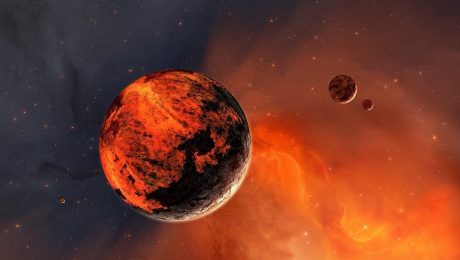
Sentyabrın 28-də NASA alimləri Marsda suyun olduğunu bəyan ediblər. Amerika kosmik agentliyi əməkdaşlarının sözlərinə görə, “qırmızı planetdə” mütamadi olaraq əmələ gələn axınlar su ilə əmələ gələ bilər.
Mənbəə: azadlıq.info
- Published in weScience